

In the world of printing, ink clogging is a common yet frustrating issue that can significantly disrupt the printing process. As a trusted printing machinery supplier, we understand the challenges that come with ink blockages and are here to guide you through effective troubleshooting steps. This blog post will delve into the causes of ink clogging, offer practical solutions, and share preventive measures to keep your printing machinery running smoothly.
Understanding the Causes of Ink Clogging
Before we jump into troubleshooting, it's essential to understand what causes ink clogging in the first place. Several factors can contribute to this problem, including:
1. Dried Ink
One of the most common causes of ink clogging is dried ink inside the print heads or ink channels. When the printing machinery is not used for an extended period, the ink can dry out and form solid deposits that block the flow of ink. This is particularly common in environments with low humidity, where the ink evaporates more quickly.
2. Contaminated Ink
Contaminated ink can also lead to clogging. Dust, debris, or foreign particles in the ink can accumulate in the print heads or ink lines, causing blockages. Additionally, using low - quality ink that contains impurities or has a high viscosity can increase the risk of clogging.
3. Incorrect Ink Storage
Improper ink storage can affect its quality and lead to clogging. Ink should be stored in a cool, dry place away from direct sunlight and extreme temperatures. If the ink is exposed to high temperatures, it can thicken and become more likely to clog the printing machinery.
4. Mechanical Issues
Mechanical problems within the printing machinery, such as a malfunctioning pump or a damaged ink line, can also cause ink clogging. These issues can disrupt the normal flow of ink and lead to blockages in the system.
Troubleshooting Steps
Now that we've identified the potential causes of ink clogging, let's explore the steps you can take to troubleshoot and resolve the issue.
1. Perform a Print Head Cleaning
The first step in troubleshooting ink clogging is to clean the print heads. Most modern printing machinery comes with a built - in print head cleaning function. Here's how you can do it:
- Check the User Manual: Refer to the user manual of your printing machinery for specific instructions on how to access and use the print head cleaning function.
- Run the Cleaning Cycle: Follow the prompts on the control panel to start the print head cleaning cycle. This process typically involves flushing a cleaning solution through the print heads to remove any dried ink or debris.
- Print a Test Page: After running the cleaning cycle, print a test page to check if the clog has been resolved. If the print quality is still poor, you may need to repeat the cleaning process.
2. Inspect and Clean the Ink Lines
If the print head cleaning does not solve the problem, the next step is to inspect and clean the ink lines.
- Locate the Ink Lines: Identify the ink lines that connect the ink cartridges to the print heads. These lines are usually made of flexible tubing.
- Check for Blockages: Look for any visible signs of blockages, such as kinks or clumps of dried ink, in the ink lines. If you find a blockage, try to gently massage the line to break up the clog.
- Flush the Ink Lines: If possible, use a cleaning solution to flush the ink lines. You can do this by disconnecting the ink lines from the print heads and using a syringe to inject the cleaning solution into the lines. Make sure to follow the manufacturer's instructions when using cleaning solutions.
3. Replace the Ink Cartridges
If the clogging persists after cleaning the print heads and ink lines, it may be time to replace the ink cartridges.
- Check the Ink Levels: First, check the ink levels in the cartridges. If the cartridges are nearly empty, they may not be providing enough ink to the print heads, which can cause clogging.
- Replace the Cartridges: Follow the instructions in the user manual to remove and replace the ink cartridges. Make sure to use high - quality cartridges that are compatible with your printing machinery.
4. Examine the Printing Environment
The printing environment can also play a role in ink clogging.
- Check the Humidity: Low humidity can cause the ink to dry out more quickly. Consider using a humidifier in the printing area to maintain a stable humidity level.
- Keep the Area Clean: Dust and debris in the printing area can contaminate the ink and lead to clogging. Regularly clean the printing machinery and the surrounding area to prevent the accumulation of dirt.
Preventive Measures
Preventing ink clogging is always better than having to troubleshoot it. Here are some preventive measures you can take:
- Use High - Quality Ink: Invest in high - quality ink that is specifically designed for your printing machinery. High - quality ink is less likely to contain impurities and will flow more smoothly through the system.
- Regular Maintenance: Follow the recommended maintenance schedule for your printing machinery. This includes regular print head cleanings, ink line inspections, and overall system checks.
- Proper Ink Storage: Store the ink cartridges in a cool, dry place at the recommended temperature range. Make sure to keep the cartridges sealed when not in use to prevent evaporation.
- Keep the Machinery in Use: If possible, use your printing machinery regularly to prevent the ink from drying out in the print heads and ink lines. If you need to store the machinery for an extended period, follow the manufacturer's instructions for proper storage and maintenance.
Our Printing Machinery Solutions
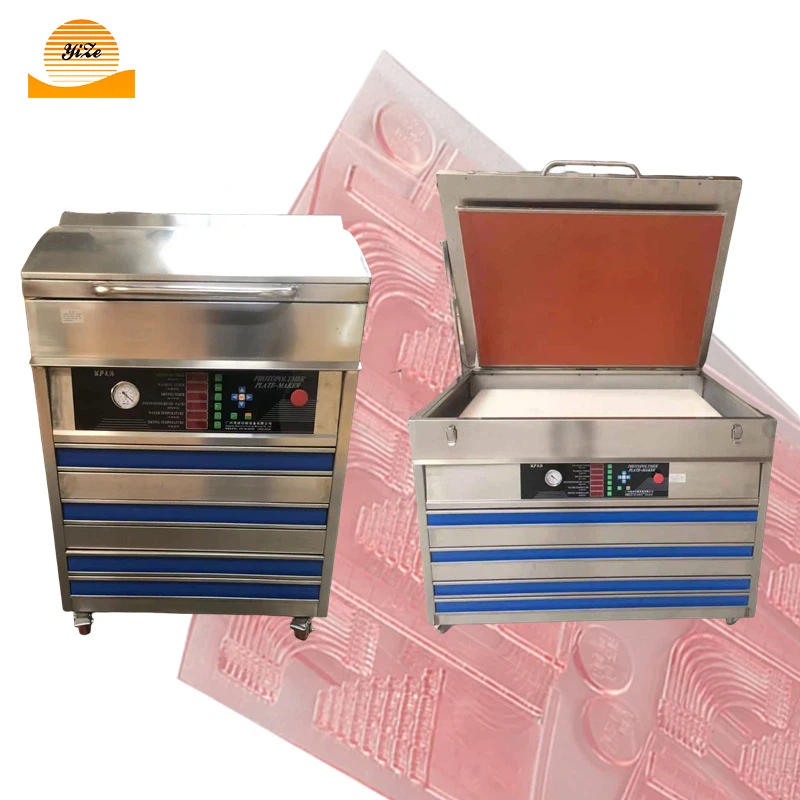
At our company, we offer a wide range of high - quality printing machinery designed to minimize the risk of ink clogging and ensure smooth printing operations. Our Plastic Resin Plate Making Machine and Flexographic Printing Machine are equipped with advanced technology and features that promote efficient ink flow and reliable performance.
Our Plastic Resin Plate Making Machine is known for its precision and durability, making it ideal for creating high - quality printing plates. The Flexographic Printing Machine, on the other hand, offers excellent print quality and versatility, suitable for a variety of printing applications.
Conclusion
Ink clogging can be a frustrating problem, but with the right troubleshooting steps and preventive measures, you can keep your printing machinery running smoothly. By understanding the causes of ink clogging, performing regular maintenance, and using high - quality ink and equipment, you can minimize the risk of blockages and ensure consistent print quality.
If you're experiencing persistent ink clogging issues or are looking to upgrade your printing machinery, we're here to help. Contact us to discuss your printing needs and explore our range of high - quality printing machinery solutions. Our team of experts is ready to assist you in finding the perfect equipment for your business.

References
- Manufacturer's user manuals for printing machinery
- Industry best practices for ink management and printing machinery maintenance